How Do I Know If My Coaches’ Hours Are Actually Filling?
Spot courts reserved for coaching that sit empty, see whose coaching time is used versus idle, then retime sessions or publish classes players can find.
· By Smash Team · 2 min read
You reserved three courts all morning for “coaching.” By 10:30 two of them are still dark. Staff shrugs: the calendar says coaching, so the hold must be fine. Gut feel does not tell you which coach is overbooked and which one still has open mornings.
Smash helps club owners see whose coaching time is earning its keep and whose sits idle, so you can retime a session or publish something players can actually find.
For formats that fill soft hours, see which clinics and camps fill empty courts. When the program exists but only lives in WhatsApp, see how to publish classes so players find them without WhatsApp.
See which coaching mornings actually fill
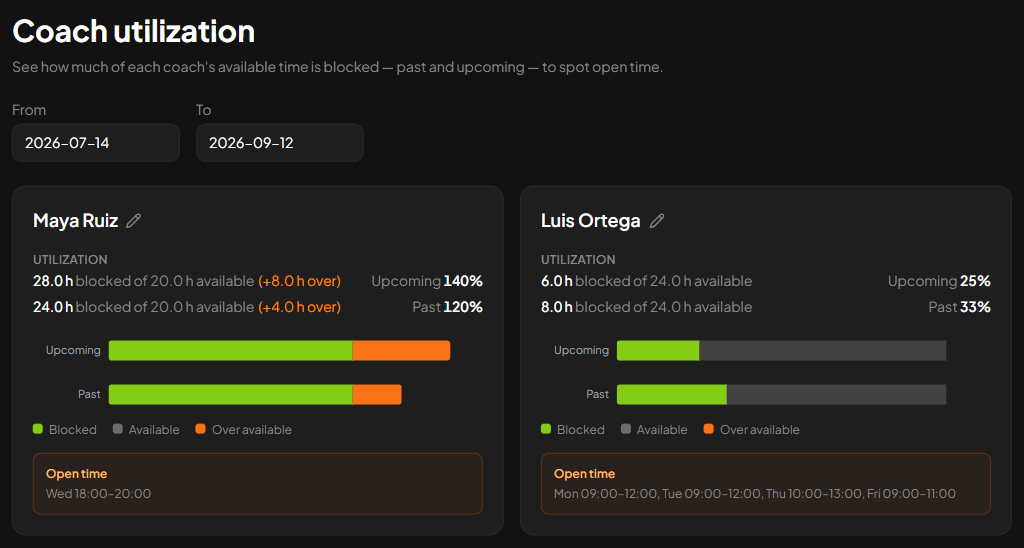
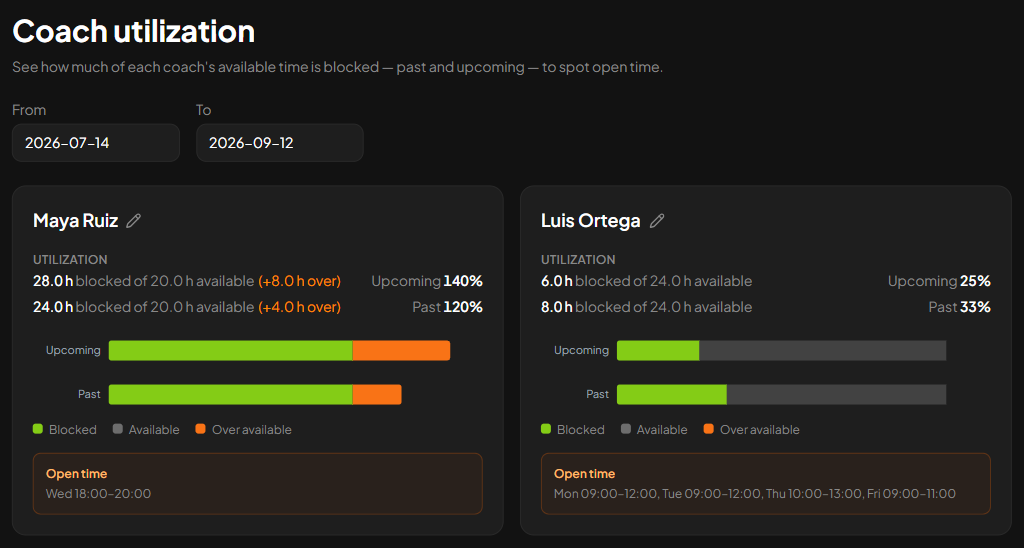
“Coaching” on the schedule is not the same as a full court. Smash shows coaching hours reserved next to each coach’s available hours for the range you pick, plus open windows when nothing is held.
One coach can be booked past their availability. Another can show long open mornings while courts stay reserved “for coaching” with nobody on them. Screenshot numbers are examples only, not a Smash target for your club.
Use that picture to decide the next move: release empty reservations, shift a session, or fill a real gap.
Put a coach’s name on every reserved court
A nameless morning reservation teaches you almost nothing. When the block is for a class or clinic, name the coaches on it so Smash can attribute the hours to people you manage.
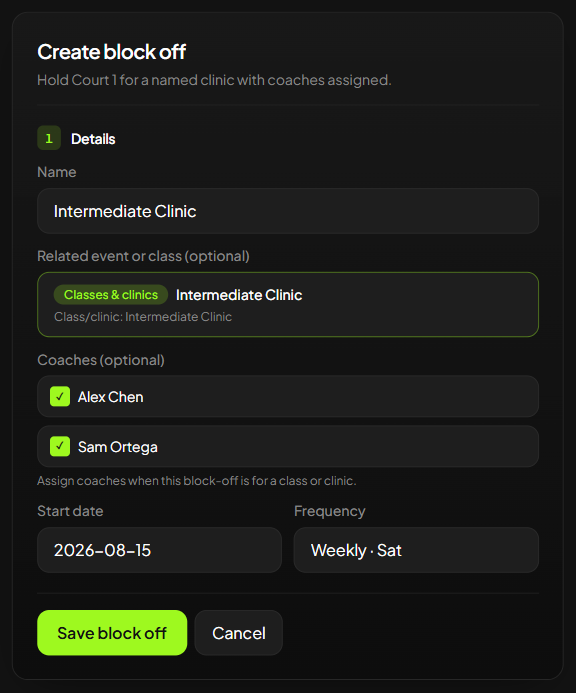
Naming coaches turns “coaching” on the schedule into a person you can retime, not a vague label that forever looks busy. How to assign them on a hold sits in the FAQ below.
Free idle courts, or publish something players can find
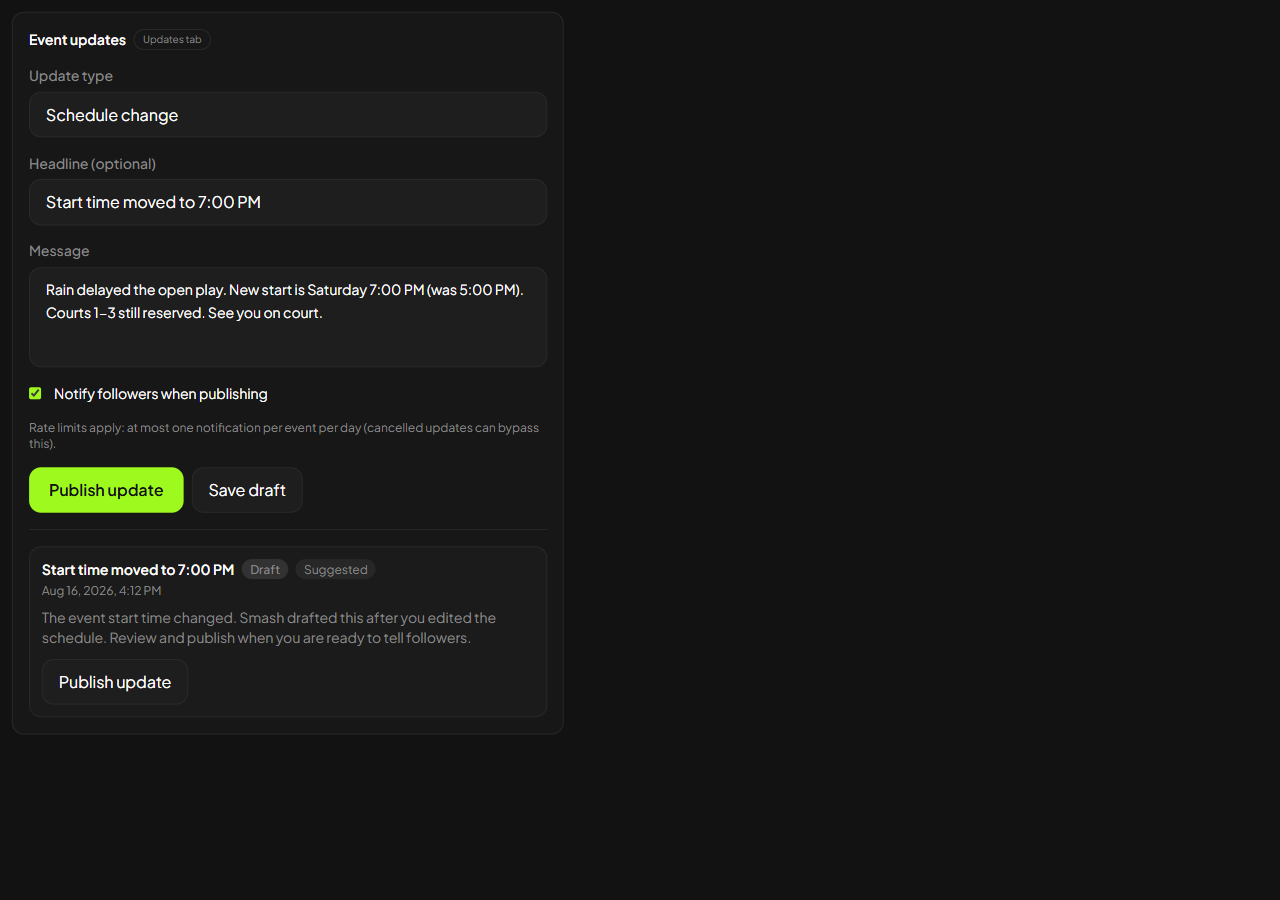
Knowing a coaching block is idle is only useful if you act. Smash answers “is this coaching time earning its keep?” It does not invent the program.
| Question | Guide |
|---|---|
| Are coach-reserved hours used or idle? | This post |
| Which clinic or camp formats fill soft hours? | Clinics and camps that fill empty courts |
| Can players find classes without a group chat? | Publish classes without WhatsApp |
Ready to check coach hours?
Open Smash for clubs and check coaching time against what actually fills. For more ops guides, see resources for clubs.
Keep exploring
Related articles